How to Make a QR Code for a Website Link (URL)
Published on June 28, 2026 · 5 min read
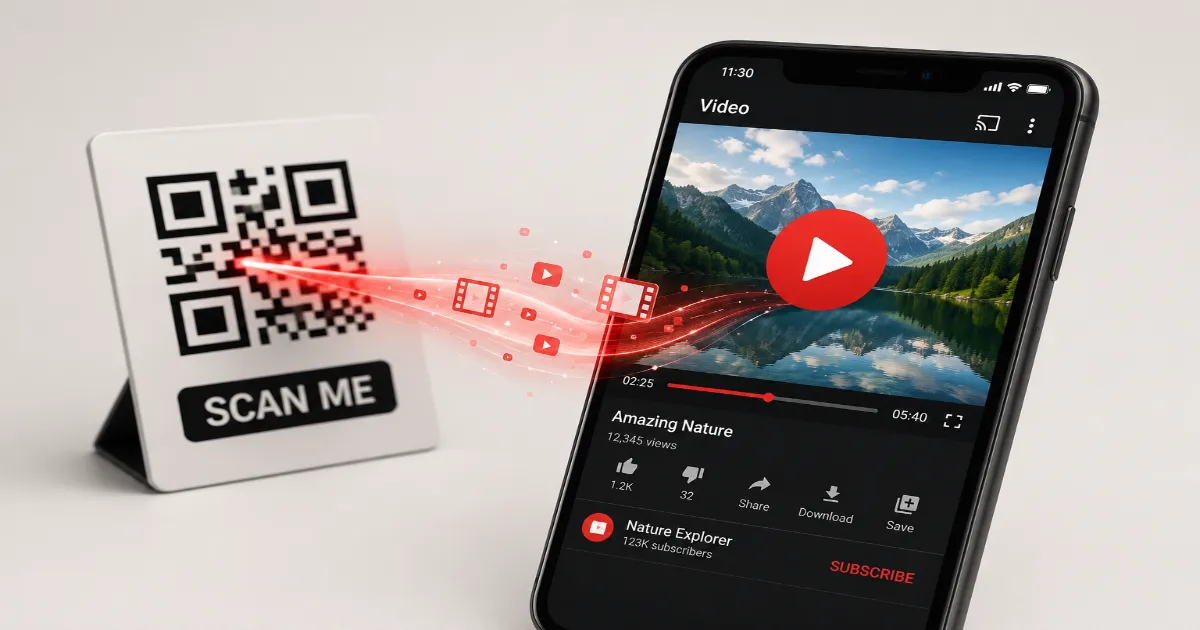
Think about the last time you saw a billboard or a magazine ad with a web address printed at the bottom. Did you actually pull out your phone, open Safari, and type in "www.thatcompany.com/spring-sale-2024"?
Of course you didn't. Nobody does that anymore.
Typing a URL on a piece of glass with your thumbs is a miserable experience. If your marketing strategy relies on customers manually typing web addresses, you are actively burning money. Every keystroke is an opportunity for a typo, and every typo is a lost sale.
A URL QR code bridges the physical and digital worlds instantly. A customer points their camera, taps their screen, and your website loads in milliseconds. It is the single most effective way to turn offline attention into online traffic. Here is how to do it right.
The Anatomy of a Website Scan
Let us look at what actually happens when someone scans a website code. It is brilliantly simple.
Unlike complex vCard or WiFi codes that require the phone to parse specific data formats, a URL QR code simply contains a standard web address (like https://qrinsec.com). When the smartphone camera detects the http:// or https:// prefix, it immediately knows what to do. It hands the text over to the phone's default web browser, which triggers a page load.
Because the process is universally supported by every major operating system, URL codes have become the undisputed king of the QR world. They are the backbone of modern interactive marketing.
Why You Should Never Encode a "Naked" URL
I see this mistake every single day. A business owner wants to send people to their homepage, so they generate a code for mybusiness.com. That is a "naked" URL.
Why is this bad? Because when you look at your Google Analytics next month, all that traffic will just show up as "Direct." You will have absolutely no idea if those visitors came from typing your name into their browser, clicking a bookmark, or scanning your new printed flyers.
The professional way to do this is by using UTM parameters. A UTM is a small tag added to the end of a link that tells your analytics software exactly where the user came from.
Instead of encoding mybusiness.com, you encode mybusiness.com/?utm\_source=print&utm\_medium=qr&utm\_campaign=summer\_flyer.
Now, when a scan happens, your analytics dashboard clearly attributes that visit to your physical flyer. You can finally measure the exact return on investment (ROI) of your printed marketing.
Static vs. Dynamic URL Codes: The Final Verdict
When generating your link, the QRinsec platform will ask if you want a Static or Dynamic code. Pay close attention here.
Static URL Codes: These embed the actual web address directly into the black-and-white grid. If you encode a massive URL with tons of tracking tags, the QR code becomes extremely dense and hard to scan. Worse, if your marketing team decides to change the landing page URL next week, the code is permanently broken.
Dynamic URL Codes: This is the only acceptable choice for professional marketing. A dynamic code embeds a short, clean routing link (e.g., qr.link/xyz). When scanned, this short link redirects the user to your massive, tag-heavy destination URL.
Because the code only contains a short link, the physical pattern remains simple and fast to scan. More importantly, you can log into your dashboard and change the destination URL anytime you want. You could print 10,000 posters and change where they point every single week without reprinting a thing.
Step-by-Step: How to Generate Your URL Code
Ready to drive some traffic? Here is the bulletproof workflow.
Step 1: Prepare Your Destination Link
Copy the exact URL of the page you want to promote. Do not just send people to your homepage unless your goal is brand awareness. Send them to a specific product, a signup form, or a dedicated landing page. Add your UTM tracking tags if you use an analytics platform.
Step 2: Paste and Generate
Open the QRinsec generator and select the URL tool. Paste your full link. Ensure the "Dynamic" setting is active.
Step 3: Design for Action
A plain black square is easily ignored. Add your brand colors. Crucially, place a small call-to-action (CTA) logo in the center. If it links to a video, put a play button in the middle. If it links to a store, put a shopping cart. Visual cues drastically increase scan rates.
Step 4: The Golden Rule of Testing
Never, ever skip testing. Scan the code with an iPhone. Scan it with an Android. Check the loading speed of your landing page. If the page takes ten seconds to load on a 4G connection, the user will close the tab before seeing your content.
4 Brilliant Real-World Applications
How are top-tier brands using these codes?
- Retail Storefronts: Clothing stores place massive QR codes on their window displays after hours. "See something you like? Scan to shop our online inventory 24/7." It turns a closed store into an active sales channel.
- Direct Mail Campaigns: Instead of just sending a postcard with a coupon code, embed a URL QR code that automatically applies the discount at checkout when scanned. Remove the friction.
- Restaurant Tables: Beyond menus, smart restaurants put a code on the receipt that says, "Scan to leave a Google Review." It capitalizes on the customer's satisfaction right at the moment of payment.
- Product Packaging: Put a code on your product box linking to a "How to Setup" video. It reduces customer frustration and lowers the burden on your support team.
Common Mistakes That Kill Your Conversion Rate
I have audited failed campaigns that wasted thousands of dollars. They all share these same errors.
- No Call to Action (CTA): If you just print a square on a poster with no text, people will ignore it. You must explicitly tell them what they will get. Print "Scan to get 20% off" directly above the code.
- Unoptimized Landing Pages: You forced the user to scan with their mobile phone, but your website is not mobile-friendly. The text is tiny, the buttons are broken, and they leave immediately. Always ensure your destination is optimized for mobile screens.
- Printing on Wrinkled or Curved Surfaces: If you print a code on a soft t-shirt or a highly curved aluminum can, the camera lens will struggle to read the distorted pattern. Keep your codes flat and visible.
Frequently Asked Questions (FAQ)
Does a URL QR code expire?
If you create a Static code, it lasts forever (or as long as your website exists). If you create a Dynamic code, it lasts as long as your account with the QR generator remains active to host the routing link.
Can I link to a specific section of a webpage?
Yes. You can use an anchor link (a URL ending with #section-name) to jump the user down to a specific part of a long page.
Why does my code scan slowly?
You likely generated a Static code with a very long URL, making the data matrix too dense. Switch to a Dynamic code, which uses a short link and creates a simpler, faster-scanning pattern.
Do I need an app to scan these?
No. Every modern iOS and Android device has a QR scanner built natively into its default camera application.
The Gateway to Your Digital World
A URL QR code is the simplest tool in the shed, but it is also the most powerful. It is the direct portal between a physical customer and your digital checkout line. By using dynamic links, tracking your scans, and pairing the code with a strong call-to-action, you will see your offline engagement metrics skyrocket. Head over to QRinsec, paste your best link, and start converting today.
Published by the QRinsec Editorial Team — practical documentation about QR codes, barcode standards, and QRinsec’s client-side tools. Content is reviewed against product testing and published technical documentation from sources such as GS1, Denso Wave, and ISO standards where applicable.
Have questions or corrections? Contact us.
Create your QR code for free
No sign up, no limits — generate and download in seconds.
Open the generator