What Is an EAN-13 Barcode and How to Generate One
Published on June 28, 2026 · 5 min read
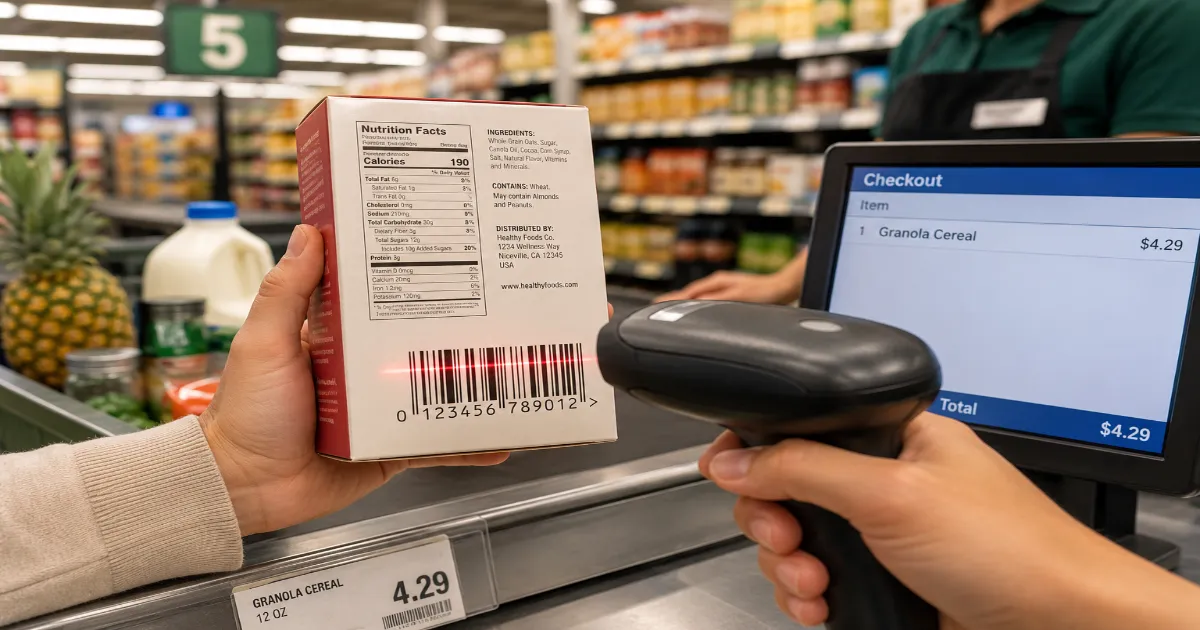
If you want to sell a physical product in a retail store—whether it is a bottle of shampoo in London, a box of cereal in Tokyo, or a t-shirt in Sydney—you are going to need a specific type of barcode.
You cannot just invent a random string of numbers and slap it on your packaging. If you do, the point-of-sale scanner at the supermarket will reject it, and the store will refuse to carry your product.
To play in the global retail market, you must speak the global retail language. That language is the EAN-13 barcode.
It is the most widely recognized barcode standard on the planet. If you are a manufacturer, an artisan scaling your business, or a wholesale distributor, understanding how the EAN-13 system works is a mandatory part of doing business. Here is everything you need to know to get your products retail-ready.
What Does EAN-13 Stand For?
EAN originally stood for "European Article Number." However, as the standard exploded in popularity and was adopted globally, it was officially renamed the "International Article Number" (though everyone still just calls it an EAN).
The "13" simply refers to the number of digits encoded within the barcode.
Unlike Code 128 or QR codes, which can hold letters, URLs, and complex data, an EAN-13 barcode holds exactly 13 numbers. Nothing else. No letters, no spaces, no special characters. Its sole purpose is to act as a globally unique identifier for a specific consumer product.
When a cashier scans a can of soup, the barcode does not tell the cash register the price or the flavor. It simply sends the 13-digit number to the store's central database, which then looks up the number and retrieves the current price and product details.
The Anatomy of the 13 Digits
Those 13 numbers are not random. They are highly structured and tell a specific story about the product's origin. Let us break down a standard EAN-13 sequence (e.g., 5012345678900):
1. The Country Code (Digits 1-3):
The first two or three digits identify the GS1 member organization that issued the barcode. For example, barcodes starting with 50 indicate the number was issued in the United Kingdom. Note: This does *not* necessarily mean the product was manufactured there, only that the company is registered there.
2. The Manufacturer Code (Digits 4-8):
This block of numbers is uniquely assigned to your specific company. It is your official global identification number as a manufacturer.
3. The Product Code (Digits 9-12):
These are the numbers you assign to your specific products. Every variation requires a unique product code. If you sell a t-shirt in three sizes (Small, Medium, Large) and two colors (Red, Blue), you need six entirely different EAN-13 barcodes.
4. The Check Digit (Digit 13):
This is the most critical part. The final number is mathematically calculated based on the previous 12 digits using a specific modulo 10 algorithm. When a scanner reads the barcode, it runs the math instantly. If the calculation does not equal the check digit, the scanner knows there was a read error and beeps angrily. This prevents a mis-scanned $5 item from ringing up as a $500 item.
EAN-13 vs. UPC-A: The Global Divide
If you live in the United States or Canada, you might be wondering, "Wait, what about the UPC barcode?"
Here is the simple truth: The UPC-A (Universal Product Code) is the standard retail barcode for North America. It is 12 digits long. The EAN-13 is the standard for literally everywhere else in the world.
Historically, this caused massive headaches for international trade. However, since 2005, the global retail standards body (GS1) mandated that all point-of-sale scanners globally must be able to read both UPC-A and EAN-13 barcodes.
Therefore, if you generate an EAN-13 barcode in Europe, it will scan perfectly fine at a Walmart in Texas. (To learn more about this specific divide, check out our dedicated UPC vs. EAN guide).
How to Legally Obtain an EAN-13 Number
This is where many new businesses make a fatal error. You cannot just use a free online generator to invent 13 random numbers for your retail product. If those numbers collide with another company's registered product, major retailers will reject your inventory.
To get a legitimate, globally recognized EAN-13 number, you must lease it from GS1 (Global Standards 1), the official non-profit organization that manages the barcode system worldwide.
You pay a fee to GS1, and they assign you an official Manufacturer Code. Once you have that prefix, you can assign the remaining product digits yourself.
*(Note: There are third-party resellers who sell cheap, single EAN numbers. Use these at your own risk. Massive retailers like Amazon and Whole Foods frequently check the GS1 database and will ban products if the barcode prefix does not match your official company name).*
Generating the Barcode Image on QRInsec
Once you have your official 13-digit number from GS1 or your inventory manager, you need to turn those numbers into a scannable image for your graphic designer to put on your packaging.
This is where QRInsec comes in.
-
Navigate to the EAN-13 generator tool.
-
Enter your first 12 digits.
-
The Check Digit Magic: You do not need to know the complex math for the 13th digit. The QRInsec generator automatically calculates the correct check digit and appends it to the barcode for you.
-
Export the file as a high-resolution SVG or PNG.
Crucial Printing Advice:
Never alter the width-to-height ratio of an EAN-13 barcode. Do not stretch it to make it look "cooler." Scanners rely on exact, standardized spacing between the black bars. If you distort the image, it will fail at the checkout counter. Keep the background pure white and the bars pure black.
Frequently Asked Questions (FAQ)
Does an EAN-13 barcode contain the price of the item?
No. The barcode only contains the 13-digit identification number. The store's internal database connects that number to a price. This is why a store can put a product "on sale" without having to print new barcodes.
Can I put a QR code on retail packaging instead of an EAN-13?
No. Point-of-sale laser scanners at grocery stores and retail checkouts are designed to read 1D linear barcodes. They cannot read 2D QR codes for pricing. You can put a QR code on the box for marketing (linking to your website), but you *must* have an EAN-13 for the cashier.
What is an EAN-8 barcode?
EAN-8 is a compressed, 8-digit version of the EAN-13. It is reserved exclusively for physically tiny products where a standard 13-digit barcode will not fit (like a single stick of lip balm or a pack of chewing gum). You must apply specifically to GS1 for EAN-8 numbers.
Prepare for Retail
Getting your product onto a retail shelf is a massive milestone. Do not let a barcode error delay your launch.
Secure your official numbers, head over to the QRInsec barcode generator, and create your pristine, mathematically perfect EAN-13 images. With standard formatting and perfect scannability, your products will be ready for checkouts anywhere in the world.
Create your QR code for free
No sign up, no limits — generate and download in seconds.
Open the generator