How to Create a QR Code Menu for Restaurants
Published on June 16, 2026 · 6 min read

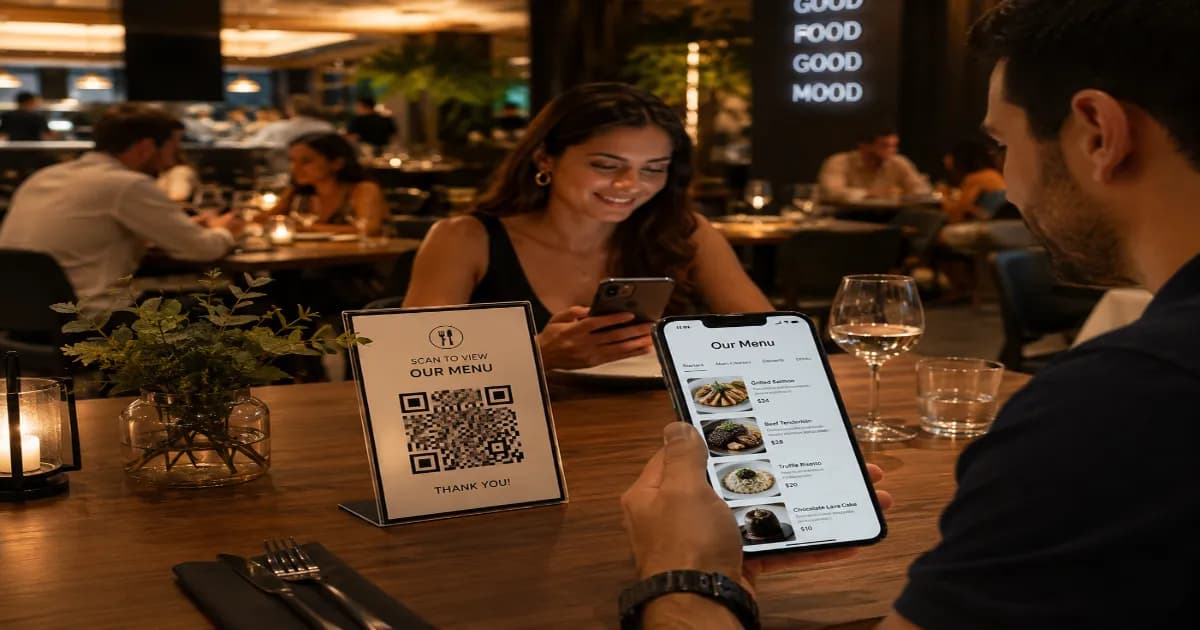
The restaurant industry has rapidly adopted digital solutions to improve efficiency and customer experience. A QR code menu replaces traditional paper menus with a contactless, scannable digital version. This small change brings enormous benefits to both the restaurant owner and the diner, making it a modern dining standard.
What is a QR code menu?
A QR code menu is a specific application of a dynamic or static code that links diners directly to your restaurant's digital menu. By scanning the code placed on their table, customers can instantly view your food and drink offerings on their own smartphones. The menu can be hosted on your website, or provided as a PDF document through a PDF QR code.
Why use a QR code menu?
- Cost Savings: Eliminate the need to constantly reprint paper menus when items or prices change.
- Hygiene and Safety: Offer a completely contactless dining experience, which many customers now prefer.
- Instant Updates: Quickly adjust your menu to reflect seasonal changes, sold-out items, or daily specials.
- Enhanced Experience: You can link to high-quality images of your dishes, detailed allergen information, and even online ordering systems.
How to create your code (step by step)
- Ensure your digital menu is accessible online (e.g., a page on your website or a hosted PDF).
- Open the free QR code generator on our homepage.
- Select the URL tab and paste the link to your menu.
- Customize the design! Use your restaurant's brand colors and consider adding a fork-and-knife icon or your logo in the center.
- Choose a high error correction level so it scans easily even if the code gets slightly smudged on the table.
- Click Download in SVG or PDF format for the highest print quality.
Best practices for sharing
Place the codes in highly visible, easily accessible locations. The center or corner of the dining table, printed on table tents, or displayed at the entrance are great spots. Ensure the lighting in your restaurant is adequate for scanning. For more ideas on how to promote your venue, check out our guide on QR codes for marketing ideas and specific tips on QR codes for restaurants.
More resources
To learn more about the technology behind these codes and how they have revolutionized various industries, read the QR code article on Wikipedia.
Create your QR code menu now
Ready to modernize your dining experience? Open the generator today and create a beautiful, custom code for your menu in seconds.
Create your QR code for free
No sign up, no limits — generate and download in seconds.
Open the generator